 DynamicQRCode
このページは日本語でもご覧いただけます。
日本語で見るDynamicQRCode
DynamicQRCode is a WordPress plugin that turns the URL of the page being viewed into a QR code for that page and displays it automatically. No more creating QR codes, no more swapping out URLs.
Reads the page URL and automatically shows a QR code for that page
Reopening the page you have on your desktop, again on your phone, is a chore
You want visitors to open a page on their phone, but all you can do is ask them to type the URL
Every time you need a QR code, you go hunting for some generator site to make one
Just install it and activate it.
Set the color, size and display method under Settings > DynamicQRcode.
Every page shows a QR code of its own.
QR codes are generated in the visitor's browser. Nothing goes through an external QR code service.
No URLs to type in. Add a new page and there is nothing to configure
A button that sits in the corner of the screen. Click it to show the QR code
Put [dynqr_embedQRcode] in a post or page. You can also embed it directly in a theme file with do_shortcode()
Place it in a sidebar or footer widget area
Pick the background color and the code color with a color picker. Set any size from 100px up. Alt and title attributes are configurable too
Show or hide the download button for the QR image. You can also make it visible to administrators only
Always on, across the whole site
Anywhere in a post or page
Sidebar / footer
Note: for embeds you can choose between showing the QR code itself and showing an icon that opens it on click

Hand a resources page or a signup form over to the visitor's phone on the spot
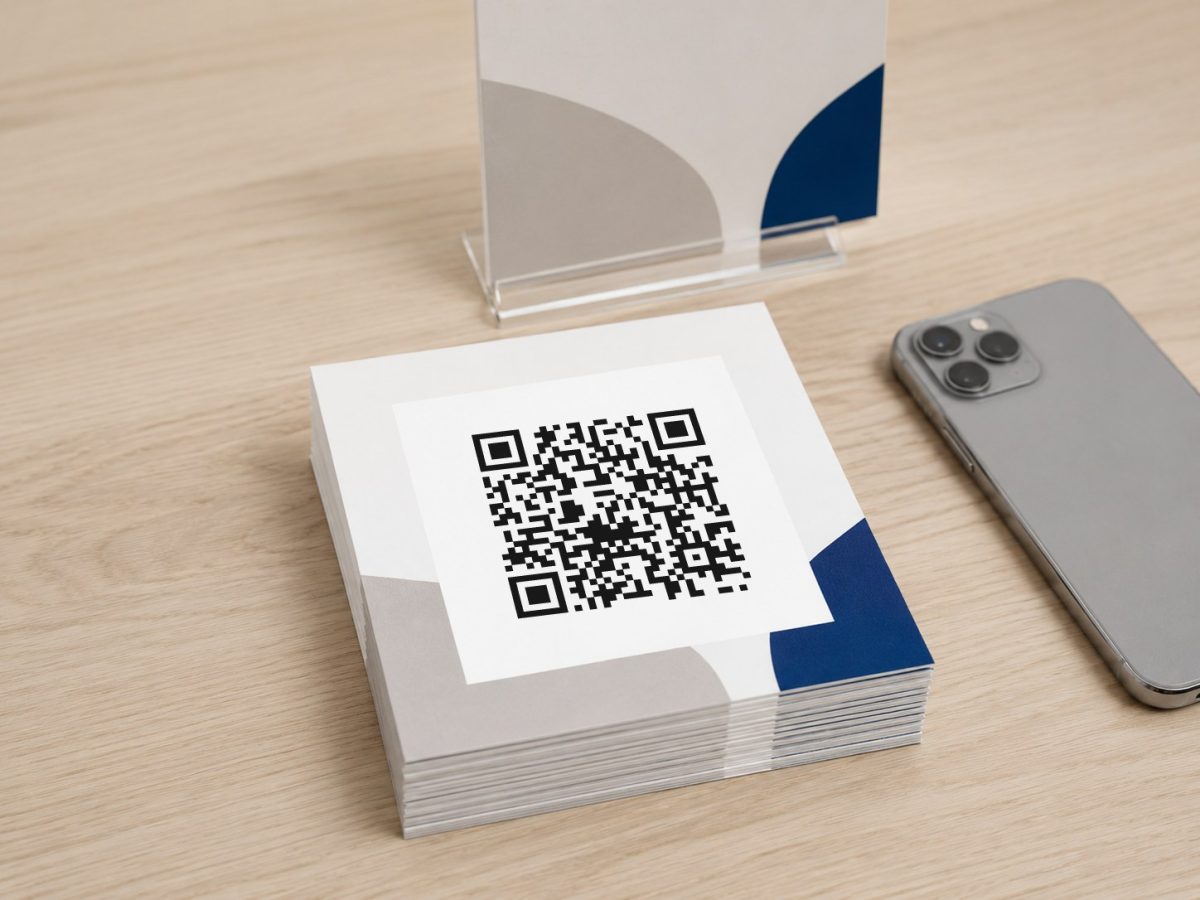
Download the QR code for a flyer, a business card or an in-store display straight from the page itself (and you can limit the button to administrators)

No reading URLs out loud — just have people scan the code on the screen
In the WordPress admin, go to Settings > DynamicQRcode. The Button tab configures the button in the bottom right of the screen; the Embed tab configures how the shortcode and the widget display the code.
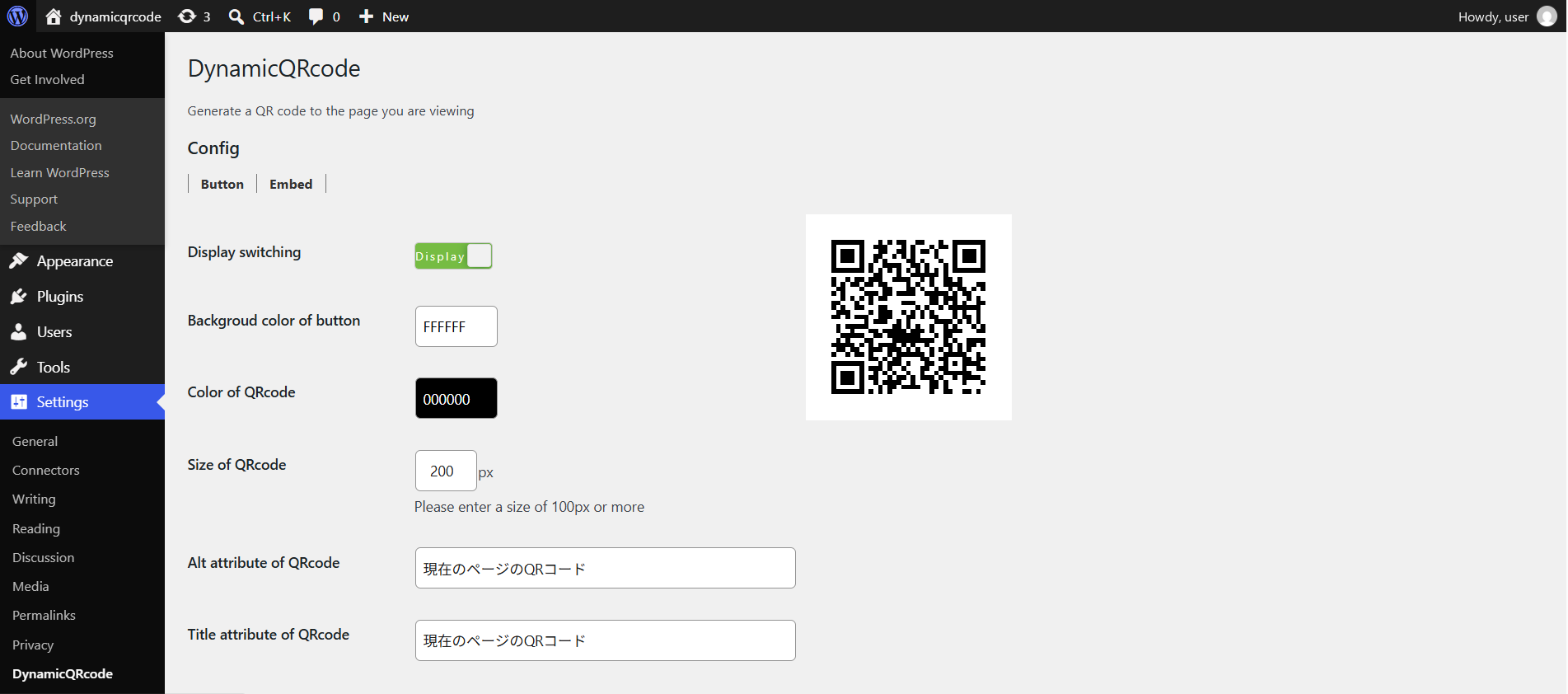
The Button tab covers the button in the bottom right of the screen; the Embed tab covers the shortcode and the widget. Color, size and attributes are held separately on each tab.
Display switching: turns the button in the bottom right on and off. Turn it off and the button disappears from every page. Note that the button is hidden on screens 600px wide or narrower.
Set the button background color and the QR code color. 100px or more is recommended for the size. The alt and title attributes are entered on this screen too.
You can choose whether to show the download button for the QR code. "Show only administrator of download button" narrows that down further.
| Item | Details |
|---|---|
| Requires PHP | 7.0 or higher |
| Tested up to WordPress | 7.1 |
| License | GPL |
| Available in | English / Japanese |
| Developed by | TomTak Corp. |
A free plugin published on WordPress.org. Search for it from your own WordPress admin and install it right there.
Open Plugins > Add New in the admin
Type DynamicQRcode into the search box
Click Install Now, then Activate
Open the plugin page and download the ZIP file
Open Plugins > Add New > Upload Plugin
Select the ZIP, install it, and click Activate
Once activated, go to Settings > DynamicQRcode. Decide on a color and a size, and from then on every page shows its QR code automatically.
No. QR codes are generated in the browser, so no communication with an external service takes place.
The button in the bottom right is hidden on screens 600px wide or narrower. To show a QR code to mobile visitors, embed it with the [dynqr_embedQRcode] shortcode.
The background color, the code color and the size can all be changed from the admin screen.
Turn Display switching off on the Button tab and the button disappears from every page. Then place [dynqr_embedQRcode] on the pages where you want the code to appear.
DynamicQRCode is free and GPL-licensed. If it saved you some work, $1 — or whatever you think it is worth — helps keep it maintained.
Payments are handled by Stripe. Your card details never pass through this site. Stripe emails your receipt automatically.